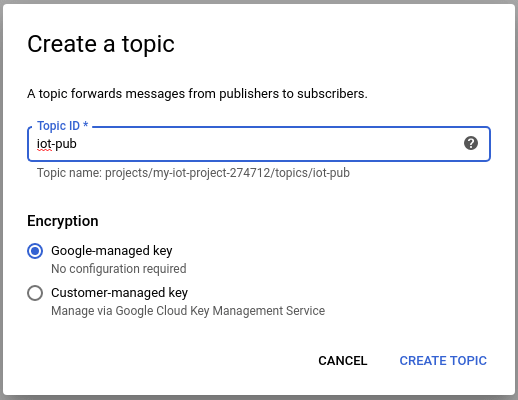
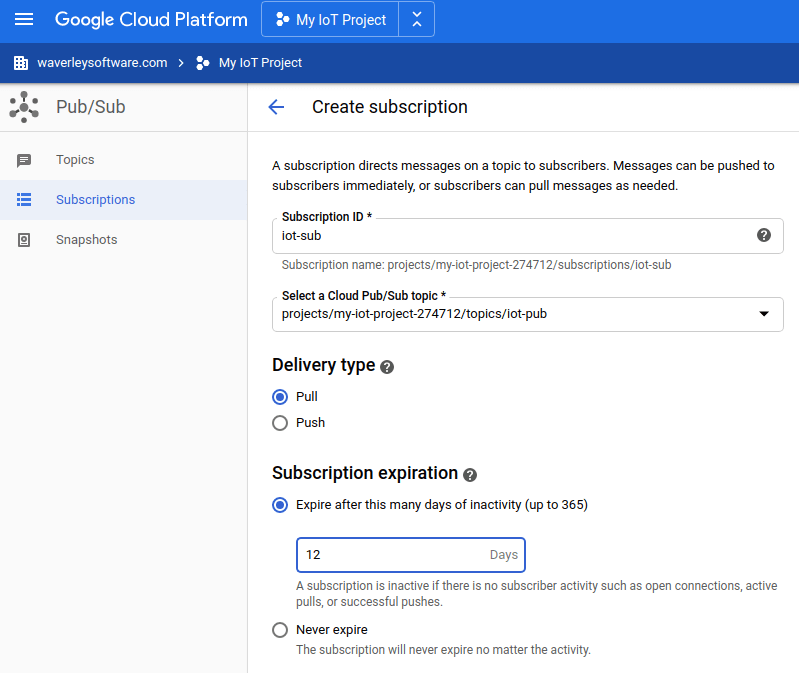
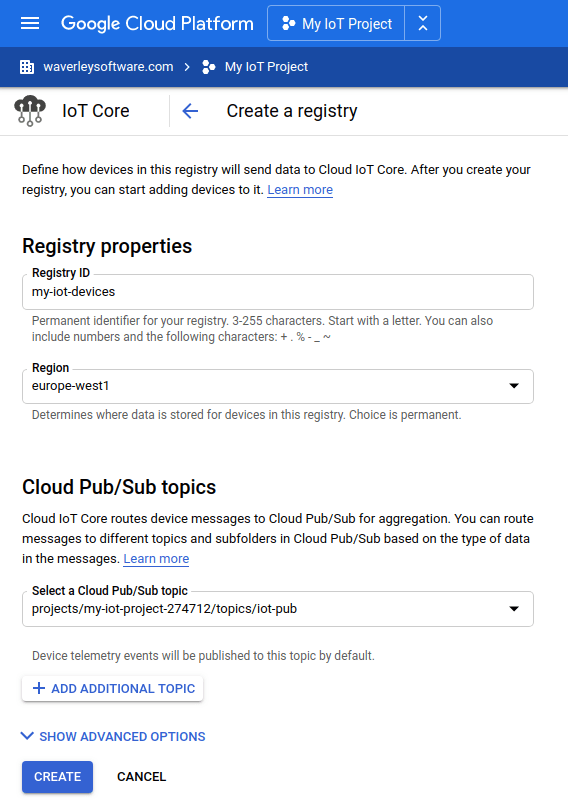
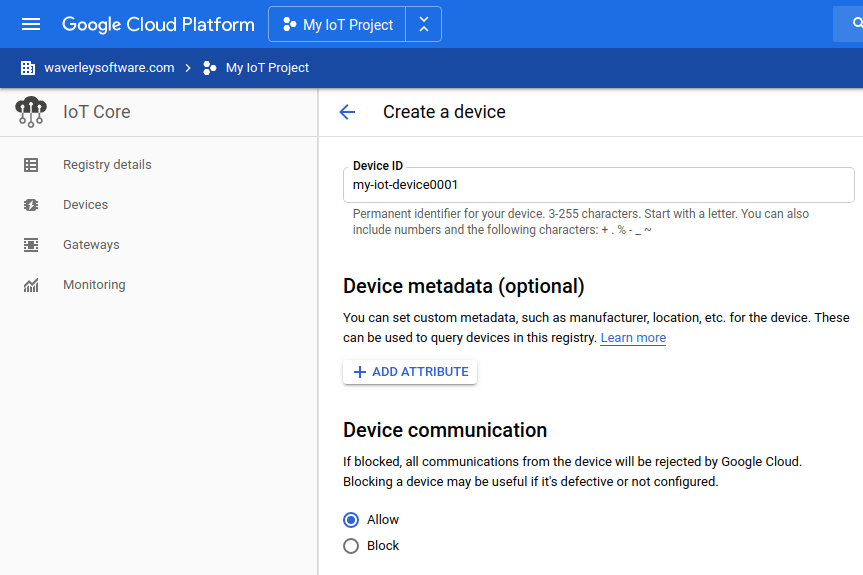
Ok. Let’s try it!
At the moment, we have everything set up for publishing events in the Google Cloud IoT Core and pull it from Google Cloud Pub/Sub.
First of all, we need to download the root SSL certificate to ensure that we connect to the Google Cloud domain. To do this, call:
wget pki.goog/roots.pem
Also, we need to generate a JWT (Java Web Token) key using our project ID and our ec_private.pem key to access the Google IoT cloud MQTT broker.
Note: The JWT token we’re going to create is limited in time (60 minutes), so make sure you re-generate it just before making a test.
To generate the JWT token, we will use the following Python script:
#!/usr/bin/env python

import datetime

import jwt

PROJECT_ID = 'my-iot-project-274712'
SSL_PRIVATE_KEY_FILEPATH = 'ec_private.pem'
SSL_ALGORITHM = 'ES256'


def create_jwt(project_id, private_key_file, algorithm):
    """Creates a JWT (https://jwt.io) to establish an MQTT connection.
        Args:
         project_id: The cloud project ID this device belongs to
         private_key_file: A path to a file containing either an RSA256 or
                 ES256 private key.
         algorithm: The encryption algorithm to use. Either 'RS256' or 'ES256'
        Returns:
            An MQTT generated from the given project_id and private key, which
            expires in 60 minutes. After 60 minutes, your client will be
            disconnected, and a new JWT will have to be generated.
        Raises:
            ValueError: If the private_key_file does not contain a known key.
        """

    token = {
        # The time that the token was issued at
        'iat': datetime.datetime.utcnow(),
        # The time the token expires.
        'exp': datetime.datetime.utcnow() + datetime.timedelta(minutes=60),
        # The audience field should always be set to the GCP project id.
        'aud': project_id
    }

    # Read the private key file.
    with open(private_key_file, 'r') as f:
        private_key = f.read()

    print('Creating JWT using {} from private key file {}'.format(algorithm, private_key_file))

    return jwt.encode(token, private_key, algorithm=algorithm)


print('JWT token:')
print(create_jwt(PROJECT_ID, SSL_PRIVATE_KEY_FILEPATH, SSL_ALGORITHM))
Note: Do not forget to replace PROJECT_ID = ‘my-iot-project-274712’ by your project ID.
Save it in my_gwt_gen.py and call by:
python my_gwt_gen.py
The output will look like this:
JWT token:
Creating JWT using ES256 from private key file ec_private.pem
eyJhbGciOiJFUzI1NiIsInR5cCI6IkpXVCJ9.eyJpYXQiOjE1ODczMDU3MTUsImF1ZCI6Im15LWlvdC1wcm9qZWN0LTI3NDcxMiIsImV4cCI6MTU4NzMwOTMxNX0.S7aLDZ2X97TPbkAXQgd_Y1JYqPxnjSXAxbTS-Q15Bvw51nDXxHvVzGDvcIXZCi8vqqKVNh1vk7jPaOzSKyNqhA
Let’s make a quick test using mosquitto_pub with our settings. Copy-paste the JWT token generated by my_gwt_gen.py into the next script after the “–pw” line:
mosquitto_pub \
--host mqtt.googleapis.com \
--port 8883 \
--id projects/my-iot-project-274712/locations/europe-west1/registries/my-iot-devices/devices/my-iot-device0001 \
--username unused \
--pw "eyJhbGciOiJFUzI1NiIsInR5cCI6IkpXVCJ9.eyJpYXQiOjE1ODczMDQ0NTYsImF1ZCI6Im15LWlvdC1wcm9qZWN0LTI3NDcxMiIsImV4cCI6MTU4NzMwODA1Nn0.lG-oXPujc6OjqD6_vgT5pkPN49huOfgDVm2KFYn9cMfyi4LVqGv80xzRAedrUc2M5GOVDoI8rI49uVR4l8vEng" \
--cafile ./roots.pem \
--tls-version tlsv1.2 \
--protocol-version mqttv311 \
--debug \
--qos 1 \
--topic /devices/my-iot-device0001/events \
--message "Temp:10"
And call the script. The output will be similar to the following:
Client projects/my-iot-project-274712/locations/europe-west1/registries/my-iot-devices/devices/my-iot-device0001 sending CONNECT
Client projects/my-iot-project-274712/locations/europe-west1/registries/my-iot-devices/devices/my-iot-device0001 received CONNACK (0)
Client projects/my-iot-project-274712/locations/europe-west1/registries/my-iot-devices/devices/my-iot-device0001 sending PUBLISH (d0, q1, r0, m1, '/devices/my-iot-device0001/events', ... (7 bytes))
Client projects/my-iot-project-274712/locations/europe-west1/registries/my-iot-devices/devices/my-iot-device0001 received PUBACK (Mid: 1, RC:0)
Client projects/my-iot-project-274712/locations/europe-west1/registries/my-iot-devices/devices/my-iot-device0001 sending DISCONNECT
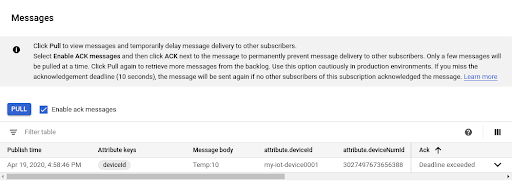
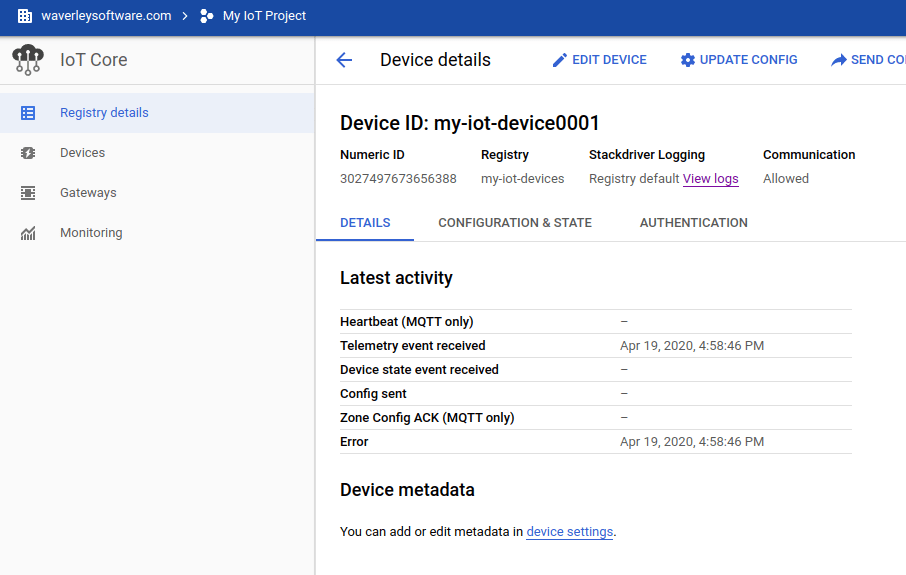
As you can see, the mosquitto_pub connected to the Google IoT Cloud MQTT broker and successfully published the “Temp:10” message on behalf of “my-iot-device0001” IoT device.
Let’s check it in the cloud:
Pull the Cloud Pub/Sub topic: